韩昊杰的头像-辛达科技-一个只分享技术的站
管理员
这家伙很懒,什么都没有写...
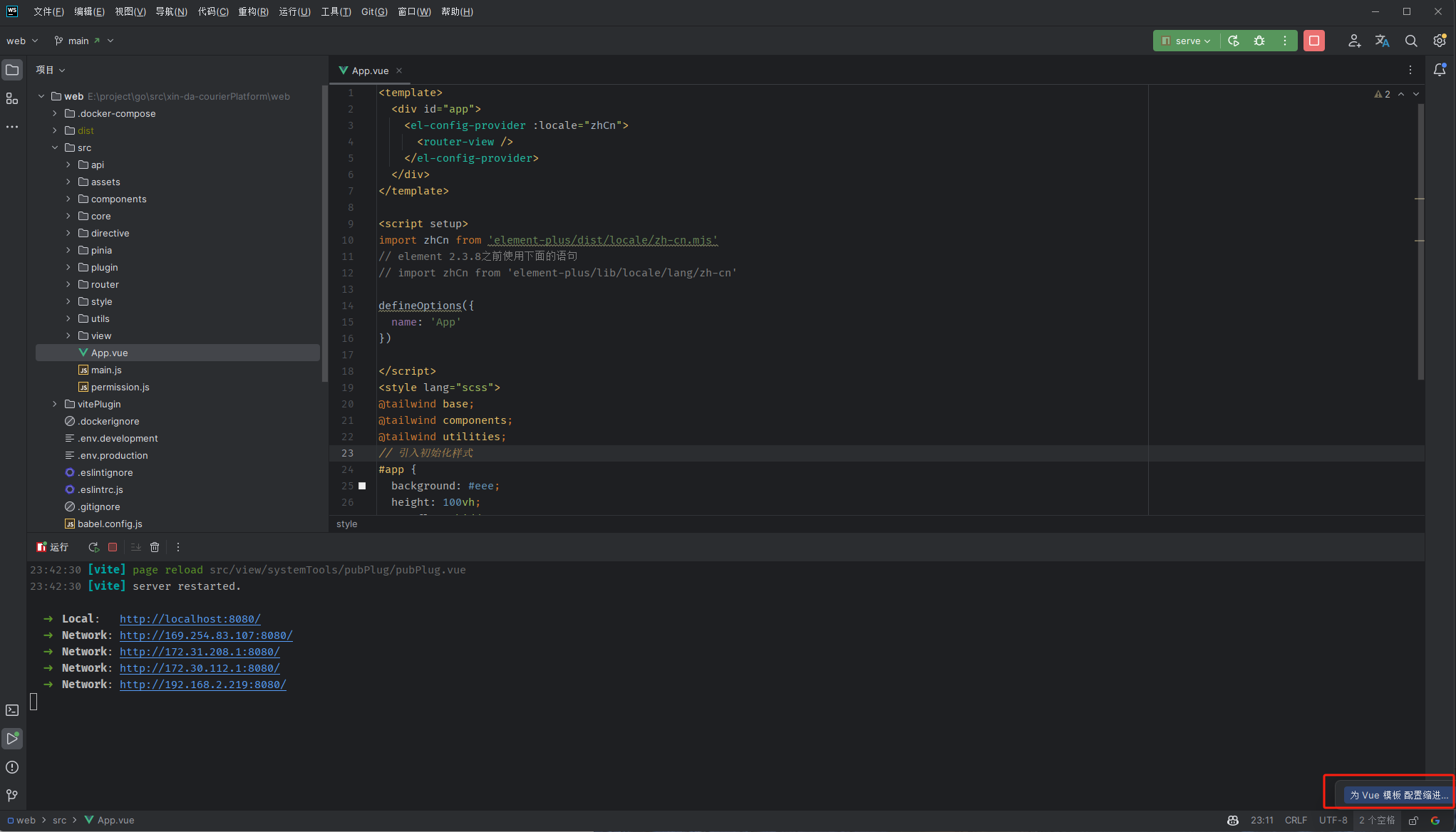
修改webstorm 格式化缩进空格的问题-辛达科技-一个只分享技术的站

修改webstorm 格式化缩进空格的问题

修改webstorm 格式化缩进空格的问题
韩昊杰的头像-辛达科技-一个只分享技术的站韩昊杰3年前
0 0 0
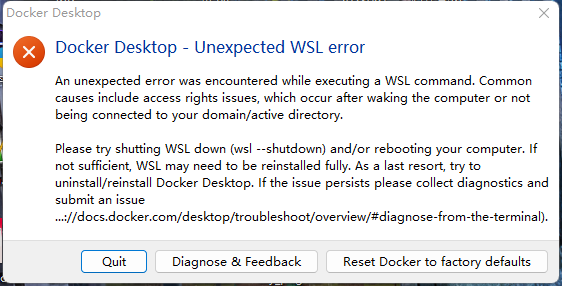
An unexpected error was encountered while executing a WSL command. 安装docker出现报错-辛达科技-一个只分享技术的站

An unexpected error was encountered while executing a WSL command. 安装docker出现报错

windows安装docker出现报错 解决办法 An unexpected error was encountered while executing a WSL command. Common causes include access rights issues, which occur after waking the computer or not being connected to your domain/active directory. Please try shutting WSL down (wsl --shutdown) and/or rebooting your computer. If not sufficient, WSL may need to be reinstalled fully. As a last resort, try to uninstall/reinstall Docker Desktop. If the issue persists please collect diagnostics and submit an issue (https://docs.docker.com/desktop/troubleshoot/overview/#diagnose-from-the-terminal). 1.以下操作在window powershell的管理员权限下进行,首先要确保wsl安装正确 wsl -l #list wsl installed wsl --update2.其次更新网络设置 netsh winsock reset
韩昊杰的头像-辛达科技-一个只分享技术的站韩昊杰3年前
0 1 0
Golang 获取当前外网IP-辛达科技-一个只分享技术的站

Golang 获取当前外网IP

Golang 获取当前外网IP
韩昊杰的头像-辛达科技-一个只分享技术的站韩昊杰3年前
0 0 0
gorm的sum查询-辛达科技-一个只分享技术的站

gorm的sum查询

windows安装docker出现报错 解决办法 An unexpected error was encountered while executing a WSL command. Common causes include access rights issues, which occur after waking the computer or not being connected to your domain/active directory. Please try shutting WSL down (wsl --shutdown) and/or rebooting your computer. If not sufficient, WSL may need to be reinstalled fully. As a last resort, try to uninstall/reinstall Docker Desktop. If the issue persists please collect diagnostics and submit an issue (https://docs.docker.com/desktop/troubleshoot/overview/#diagnose-from-the-terminal). 1.以下操作在window powershell的管理员权限下进行,首先要确保wsl安装正确 wsl -l #list wsl installed wsl --update2.其次更新网络设置 netsh winsock reset
韩昊杰的头像-辛达科技-一个只分享技术的站韩昊杰3年前
0 1 0
Github 上面git fork后的代码,如何保持同步更新-辛达科技-一个只分享技术的站

Github 上面git fork后的代码,如何保持同步更新

windows安装docker出现报错 解决办法 An unexpected error was encountered while executing a WSL command. Common causes include access rights issues, which occur after waking the computer or not being connected to your domain/active directory. Please try shutting WSL down (wsl --shutdown) and/or rebooting your computer. If not sufficient, WSL may need to be reinstalled fully. As a last resort, try to uninstall/reinstall Docker Desktop. If the issue persists please collect diagnostics and submit an issue (https://docs.docker.com/desktop/troubleshoot/overview/#diagnose-from-the-terminal). 1.以下操作在window powershell的管理员权限下进行,首先要确保wsl安装正确 wsl -l #list wsl installed wsl --update2.其次更新网络设置 netsh winsock reset
韩昊杰的头像-辛达科技-一个只分享技术的站韩昊杰3年前
0 0 0