
Ctrl+D 收藏本站 再次访问不迷路 ~
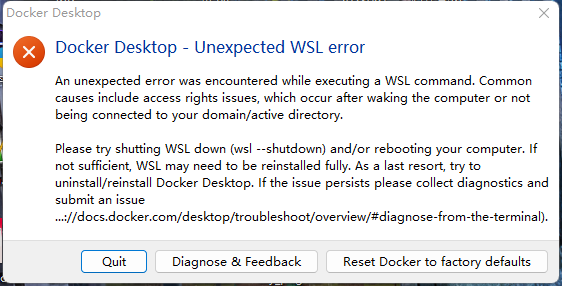
windows安装docker出现报错
解决办法
An unexpected error was encountered while executing a WSL command. Common causes include access rights issues, which occur after waking the computer or not being connected to your domain/active directory.

Please try shutting WSL down (wsl --shutdown) and/or rebooting your computer. If not sufficient, WSL may need to be reinstalled fully. As a last resort, try to uninstall/reinstall Docker Desktop. If the issue persists please collect diagnostics and submit an issue (https://docs.docker.com/desktop/troubleshoot/overview/#diagnose-from-the-terminal).
1.以下操作在window powershell的管理员权限下进行,首先要确保wsl安装正确
wsl -l #list wsl installed
wsl --update
2.其次更新网络设置
netsh winsock reset©版权声明
文章版权归作者所有,未经允许请勿转载。
THE END



暂无评论内容