首页
分类
技术
php
Mysql
wechat公众号
git
前端
前端大杂烩
vue2
vue3
Golang
gorm
golang配置
韩昊杰的软件
工具
VMware
其他
docker
kafka
nginx
openwrt
页面
壁纸
留言
友链
关于
统计
发布
登录
注册
找回密码
首页
分类
技术
php
Mysql
wechat公众号
git
前端
前端大杂烩
vue2
vue3
Golang
gorm
golang配置
韩昊杰的软件
工具
VMware
其他
docker
kafka
nginx
openwrt
页面
壁纸
留言
友链
关于
统计
登录
注册
找回密码
辛达科技
韩昊杰
开启精彩搜索
图标卡片
这是一个图标卡片示例
原创作品
这是一个图标卡片示例
灵感来源
NEW
这是一个图标卡片示例
系统工具
GO
这是一个图标卡片示例
golang配置
共4篇
排序
发布
更新
浏览
点赞
评论
Linux下Golang编译程序在后台运行及开机启动
Linux下Golang编译程序在后台运行及开机启动 编译 需要在项目根目录设置GOPATH为amd64 set GOPACH=amd64 设置GOOS为linux set GOOS=linux 指定输出文件名 go build test.go 指定输出文件名 go build -o cus...
韩昊杰
4年前
11
13
0
[必看]Go语言配置代理
[必看]Go语言配置代理 重点 必须配置的信息 使用 golang 编辑器的时候必须要配置国内的代理 代理地址为: https://goproxy.cn
韩昊杰
4年前
7
12
0
Golang开发项目目录简介以及目录结构设置规范
Golang开发项目目录简介以及目录结构设置规范 Golang项目简单介绍 Golang简单的目录结构如下: 其中,bin用来存放经过 go bulid 后的 可执行文件 ,pkg存放编译后的go module,而src就存放我们项目的代码 2.三种常用目录结构 适合个人开发者 流行的目...
韩昊杰
4年前
0
2
0
Windows下安装Golang开发环境-SDK安装
Windows下安装Golang开发环境-SDK安装 @[TOC] SDK含义及下载 SDK:Software Development Kit,即软件开发工具包,是提供给开发人员使用的,包含了对应的开发语言工具包。 下载地址: 谷歌中国 下载完成后安装 windows只需要万能下一步就好 这...
韩昊杰
4年前
0
0
0
在手机上浏览此页面
退出登录
您好!
确认要退出当前登录吗?
取消
确认退出


 4年前
4年前![[必看]Go语言配置代理-辛达科技-一个只分享技术的站](http://www.hanhaojie.top/usr/uploads/2022/09/1483501241.png)
 4年前
4年前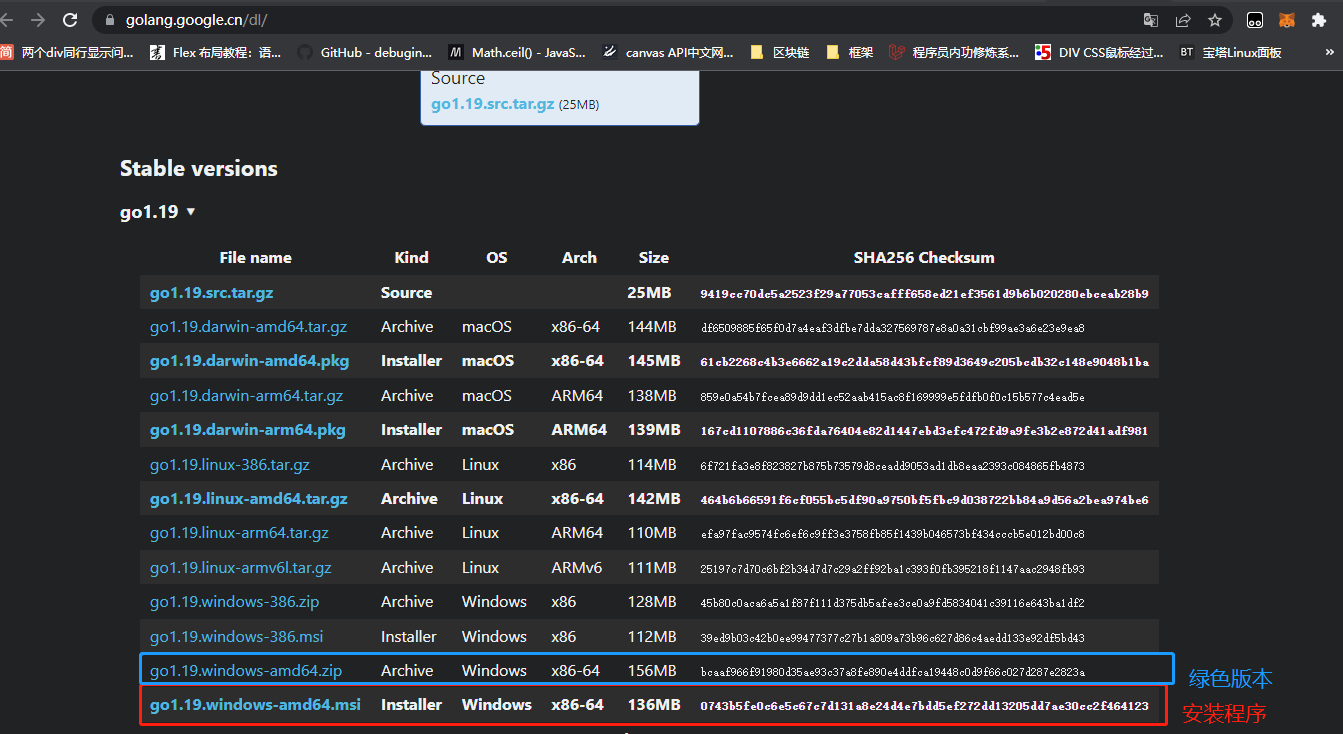 4年前
4年前