首页
分类
技术
php
Mysql
wechat公众号
git
前端
前端大杂烩
vue2
vue3
Golang
gorm
golang配置
韩昊杰的软件
工具
VMware
其他
docker
kafka
nginx
openwrt
页面
壁纸
留言
友链
关于
统计
发布
登录
注册
找回密码
首页
分类
技术
php
Mysql
wechat公众号
git
前端
前端大杂烩
vue2
vue3
Golang
gorm
golang配置
韩昊杰的软件
工具
VMware
其他
docker
kafka
nginx
openwrt
页面
壁纸
留言
友链
关于
统计
登录
注册
找回密码
辛达科技
韩昊杰
开启精彩搜索
图标卡片
这是一个图标卡片示例
原创作品
这是一个图标卡片示例
灵感来源
NEW
这是一个图标卡片示例
系统工具
GO
这是一个图标卡片示例
前端大杂烩
共10篇
前端
排序
发布
更新
浏览
点赞
评论
Vue 银行卡号 每4位补一个空格
vue 隔四个字符加一个空格 效果图 输入方式进行格式化 代码: <el-form-item label="测试" prop="test"> <el-input v-model="queryParams.test"...
韩昊杰
4年前
0
8
0
使用uniapp的时候使用`scroll-view`标签不出现滚动条
使用uniapp的时候使用 scroll-view 标签不出现滚动条 我是用了 scroll-view 可以滚动,但是不出现滚动条,vue页面。 在调试中发现是被这个样式影响了。 所以就需要自己写样式,代码如下就好了。 // 滚动条样式 /deep/ ::-webkit-scrollbar ...
韩昊杰
3年前
1
3
0
微信小程序rpx,px,rem单位换算规则
微信小程序rpx,px,rem单位换算规则 小程序的单位rpx是根据iphone6的设备宽度定义的。 需要UI设计稿出: 375 x 667 基于苹果6/7/8 开发 rpx:不论哪个型号的手机,屏幕宽度都是750rpx rpx与px的转换,根据设计稿换算 例如:设计稿750px宽度,ps上...
韩昊杰
4年前
0
3
0
微信小程序及UNI-APP修改SWIPER轮播DOT指示点样式
微信小程序及UNI-APP修改SWIPER轮播DOT指示点样式 微信开发者工具>调试>调试微信开发者工具 在控制台输入 在弹出的框里找到相应节点 希望能帮到你 /* wx-swiper-dots wx-swiper-dots-horizontal */ // 没有滑动到的styl...
韩昊杰
4年前
0
3
0
小程序处理TypeError: Cannot read property 'slice' of undefined" found in
小程序处理TypeError: Cannot read property 'slice' of undefined" found in 在页面中使用slice, 页面报错,报错原因 是由于数组对象未定义或为null 引起的,所以查看获取数据的接口是否请求到了数据。 因为加载顺序(生命周期)的...
韩昊杰
4年前
0
2
0
1
2
下一页
在手机上浏览此页面
退出登录
您好!
确认要退出当前登录吗?
取消
确认退出


 4年前
4年前 3年前
3年前 4年前
4年前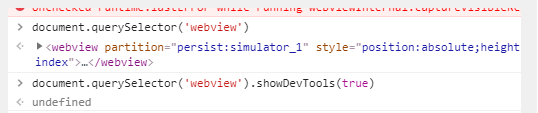 4年前
4年前 4年前
4年前